이거 뭐야 진짜... 왜 진작 못 찾았지?
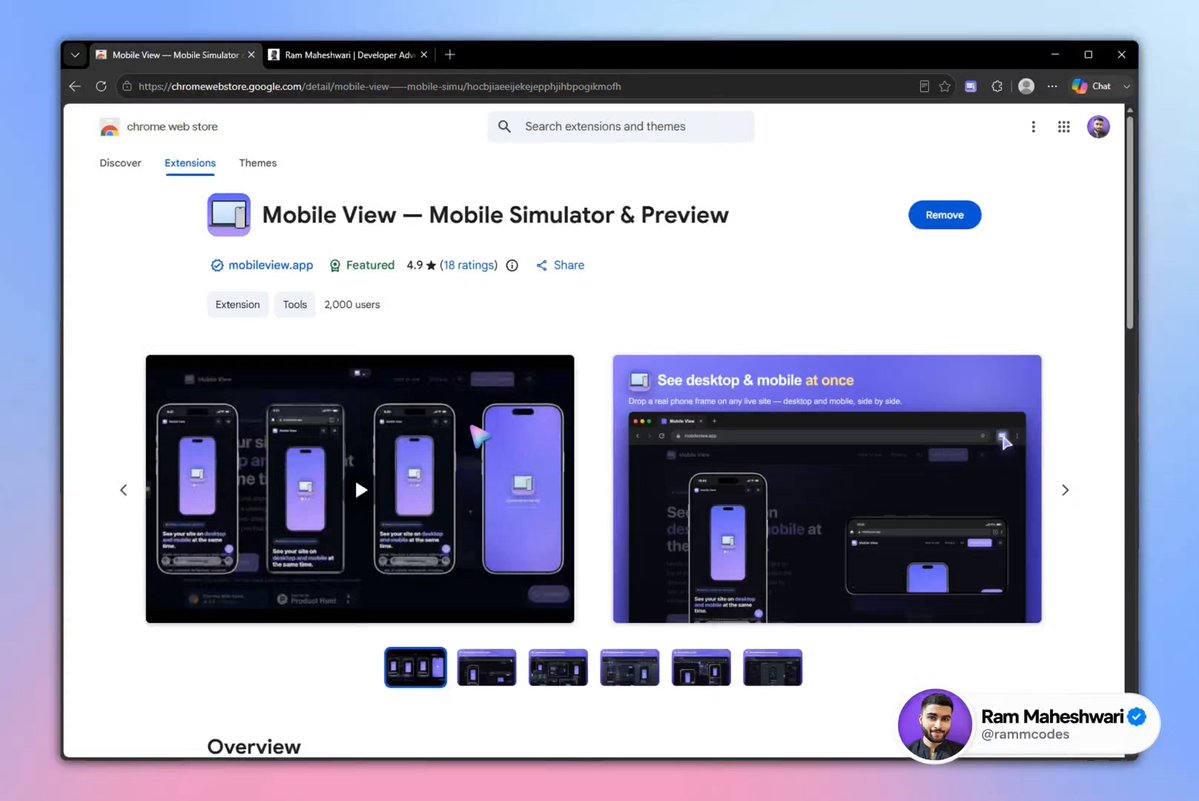
이 브라우저 확장 프로그램은 화면 크기가 다른 여러 디바이스를 웹페이지에 바로 추가해 반응형 디자인을 테스트할 수 있게 해준다.
커스터마이징 옵션도 엄청 많고, 모든 디바이스 미리보기 화면의 스크롤을 동시에 동기화할 수도 있다.
UI 개발자, 디자이너, 바이브 코더, 또는 AI로 웹 제품을 출시하는 누구에게나 완벽하다 :)
더 놀라운 AI, 코딩, 웹 개발 인사이트를 원하면 팔로우하세요
[댓글 @byTBTbr]
확장 프로그램 이름이랑 링크를 안 알려줘서 팔로우 안 할게요.
[댓글 @jamirboop]
파이어폭스에서는 ctrl + shift + m
[댓글 @hassandev22]
도대체 왜 사이트를 안 알려주는 거예요
원문 보기
이 글은 원문을 한국어로 옮긴 것입니다. 아래는 번역 전 원문입니다.
원문 제목
WTF Brooooooooooo.
원문 본문
WTF Brooooooooooo... why didn't I find this earlier?
This browser extension lets you add multiple devices with different screen sizes directly to a webpage to test responsive designs.
It comes with tons of customization options, and you can even sync scrolling across all your device previews simultaneously.
Perfect for UI developers, designers, vibe coders, or anyone using AI to ship web products :)
Follow me for more amazing AI, Coding & Web Dev insights
[댓글 @byTBTbr]
I’m not going to follow you, simply because you didn’t mention the name and link for the extension.
[댓글 @jamirboop]
ctrl + shift + m in firefox
[댓글 @hassandev22]
why the hell you dont mention wesbites